Offer 04Configure, price and draw

AI CPQ for configured products

Your Excel builder’s rules run a configurator that prices from your own costs and drafts the model and quote drawing for approval.
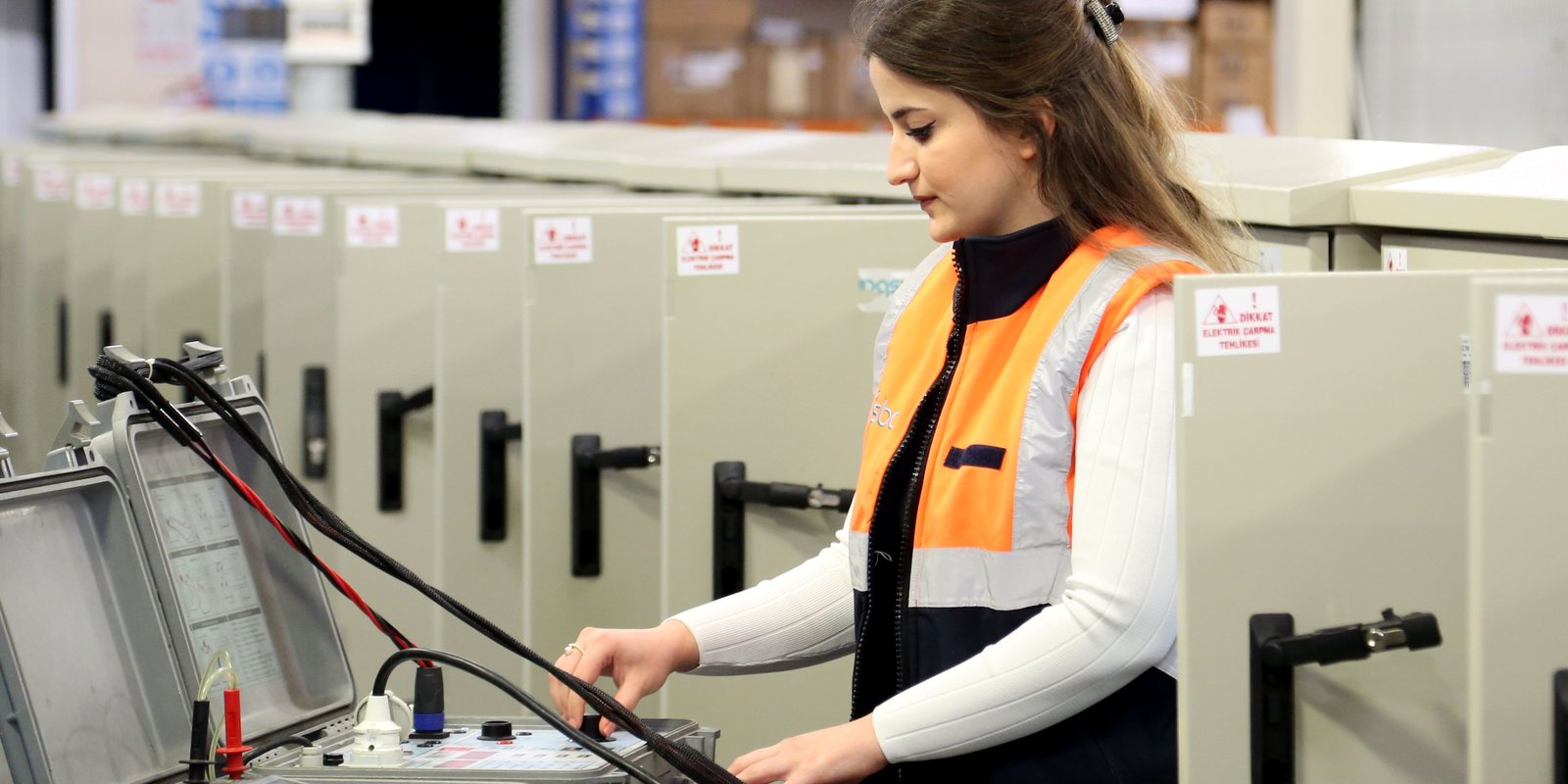
A technician in a high-visibility vest tests a row of new electrical cabinets on a factory floor

Who it’s for

This offer is for the owner of a $5M to $50M manufacturer that builds products to order from a set of options. It is also for the sales engineer who turns each request into a quote, and for the drafter who draws it.

Typical products are conveyor sections, machine guards, electrical enclosures and equipment skids: one design family in many sizes and options. The rules live in an Excel builder that one or two people understand. Each quote drawing is redrawn from the last similar job.

The offer fits when:

  • Quotes wait for the one or two people who can run the builder.
  • The quote needs a drawing, and the drafter is the queue.
  • The costs inside the builder are older than the last material price increase.

What you get

01A map of your builderEvery input, lookup table and formula chain in your Excel builder, listed with what it drives, so the rules are written down outside the file.
02A configurator built from those rulesThe options and constraints your builder enforces, in a screen your sales engineer fills in from a request.
03A price from your own costsMaterial at the price on recent supplier invoices, hours from your routings at your rates, and your markup method, line by line.
04The 3D modelA parametric model of the configured product, rebuilt by your CAD system from your own template. No dimension is drawn freehand by an AI model.
05The quote drawingA general arrangement drawing generated from that model, in your title block, with the dimensions and interfaces the customer checks.
06A quote package for approvalThe price, the drawing and a draft cover letter, waiting for a named person to approve, change or reject them. Nothing goes to a customer before that approval.
07A refusal when the rules run outAn order outside the builder’s range goes to an engineer with the reason named, instead of a guessed price.
08A logEvery configuration, price, drawing and approval, with the person who approved each package.

How it runs

Four weeks from the first call to daily use.

Week 1A map of the builder and a test set of past ordersWe read your Excel builder cell by cell and map every input, lookup table and formula chain. With you, we pick one product family and ten past orders with the prices and drawings that went out.
Week 2Prices checked against orders you already quotedWe build the configurator and the cost roll-up from that map. We run the test set until every price matches what the builder produced, or the difference is explained.
Week 3Generated models and drawings checked by your engineerWe connect your CAD template and generate the 3D model and the quote drawing for each test order. Your engineer marks up what differs from the drawings you sent.
Week 4Quote packages in daily use, each approved by a named personYour sales engineer quotes new requests in the configurator, and a named person approves every package before it goes out. We hand over and decide with you what comes next.

The first stage takes four weeks, at a fixed price agreed before work starts. It runs on your own workspace, and if you stop there, everything built in it is yours to keep.

What we need from you

Your builderThe Excel workbook your team quotes from, with the price lists and tables it links to.
Past ordersTen or more recent quotes for one product family, with the price that went out, the drawing and the bill of materials.
CostsRecent supplier invoices for material, your labour and machine rates, and how you set markup today.
Your CAD and ERPAccess to the CAD system your drafter uses and its template for that family, plus read access to the item list in your ERP.
TimeYour sales engineer and your drafter or engineer, about two hours each in week one, then about an hour a week to review results.

What changes

Your sales engineer configures a request once, and the price, the model and the drawing come out of the same rules. Your drafter checks generated drawings instead of redrawing each one from the last job.

The rules that lived in one workbook and one person’s head are written down, tested against past orders and owned by your team. An order the rules cannot cover still goes to an engineer with the reason named, so no price is guessed.

After week 4

The configurator keeps pricing and drawing each quote on your workspace after week 4.

Your workspace
One database with your data and your definitionsDesigned to run on its own server in Canada. A chat answers from it and shows the query.
Your systems
ERPAccountingEmailSpreadsheetsFiles and drawings

Each offer adds one module. The modules share one database and one set of definitions, so each new one starts from data that is already clean. If you stop, what was built is yours.

What can come next

Your builder rules, costs and quote packages now sit in your workspace. Margin and pricing can check each configured price against current cost, and reporting can answer which options sell and which quotes became orders.

  • More product families added to the same configurator, one at a time.
  • Approved configurations written to the ERP as a draft item and bill of materials, as AI for ERP describes.
  • AI quoting for the requests that arrive as a customer’s own drawing rather than as a set of options.
  • Margin and pricing intelligence, which checks each configured price against current cost.

Questions people ask

What does it cost?
The first stage is a fixed price agreed before work starts, based on the job. ThriveAI does not publish rates.
Do we have to rewrite our rules in a new tool?
No. The rules come from the Excel builder you use today. Each one is mapped and tested against past orders, and the builder stays in use until the configurator matches it.
Does AI draw the model or set the price?
No. Your CAD system builds the model from your own template, driven by the configured options, and the price comes from your costs and your markup method. AI reads the requests and the builder, and drafts text for review.
Which CAD systems does it work with?
It needs a CAD system that can be driven from a program, and a model or drawing template for the product family. We check both in the first call, before any work starts.
Does a quote go to a customer without a person approving it?
No. Every package waits for a named person to approve, change or reject it, and the log records who approved each one. Human in the loop explains how that approval step works.
Where does our data go?
The platform is designed to keep each client’s data on its own server in Canada. You choose a model on that server or a hosted model under a written zero data retention agreement. A hosted model may process requests outside Canada. For the options, see private AI for business.

Contact

Turn your Excel builder into quotes with drawings

Tell Derik what you build to order, which workbook prices it and who draws the quote drawing. He will tell you what a four-week first stage would cover.

Prefer to talk? Book a meeting.

Your message goes to Derik Lawlis, the founder.