Offer 01Custom agents

Custom AI agents for manufacturers and distributors

An agent does the job your team repeats every week in your ERP and email, and a person approves each action.

An automated guided vehicle carries a rack of parts across a clean, bright plant floor

Who it’s for

This offer is for the owner of a manufacturer or distributor in Canada or the United States. The offer is also for the people who do the job by hand today.

Some jobs come back every week with the same steps. Someone keys emailed orders into the ERP, or builds one table from four supplier quotes. The hours add up, and the job waits when that person is away.

An AI agent is software that does one job from start to finish. The agent reads each request, checks your records and drafts the result. A person on your team approves each action before anything is saved or sent.

The offer fits when:

  • Someone does the job by hand every week, from email, PDFs and the ERP.
  • The steps can be written down, even if only one person knows the steps today.
  • A mistake costs money, so someone checks every result before the result goes out.

If the job is quoting, configured products, stock levels or product data, start with the module built for that job: AI quoting, CPQ, MRP or PIM.
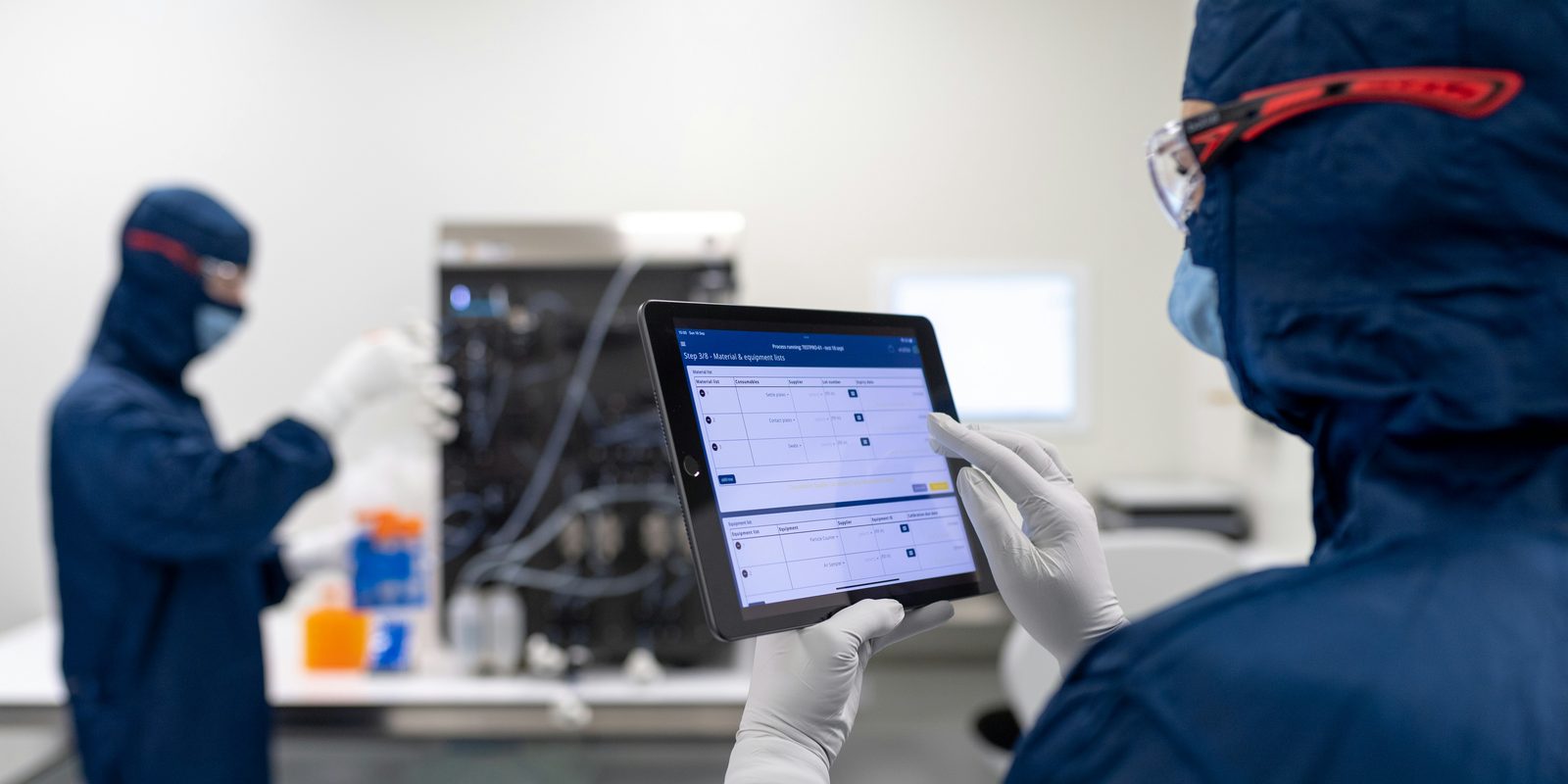
A cleanroom technician in gloves reviews a production checklist on a tablet while a colleague works at equipment
The review screen shows each draft beside the record the draft came from.

What you get

01One job, written downThe steps, the inputs, the exceptions and the cost of a mistake, mapped with the people who do the job.
02A test set from your recordsPast cases with the answers your team gave, used to measure the agent before your team relies on the drafts.
03An agent that does the jobThe agent reads each request, checks your ERP and files, and drafts the order, the reply or the record.
04A person approving each actionNothing is saved in the ERP or sent to a customer or supplier until a named person approves, changes or rejects the draft.
05Drafts where your team worksEach draft waits for approval in your mailbox or on a review screen. Approved work goes into your ERP directly or through an import file.
06A log of every stepEvery request, draft, change and approval, with the person who approved each action.
07The measure, before and afterThe hours the job takes and the share of drafts approved without changes, measured before the first stage and after.

How it runs

After the diagnostic, four steps to daily use.

Step 1The job and a test set from your recordsWe map the job with the people who do the work, and collect past cases with the answers your team gave. With you, we measure the hours the job takes today.
Step 2An agent checked against cases with known answersWe build the agent on your records with read-only access. We run the test set and fix the most common errors.
Step 3Drafts beside your team’s own workThe agent drafts each new case while your team works as usual. We compare each draft with what your team did and fix what differs.
Step 4The agent in daily use, with a person approving each actionYour team works from the drafts, and a named person approves anything that reaches a customer, a supplier or the ERP. We hand over and decide with you which job comes next.

The price and the length of the first stage are both set after the diagnostic. The price stays the same however many days the work takes. The agent runs on your own workspace and keeps running after the first stage. If you stop, the data is yours. A monthly plan covers improvements and support.

What we need from you

AccessRead access to the mailbox or folder where the job starts, and to the ERP and files the job uses. Write access comes later, and only for the steps that save a record.
DataPast cases of the job with the answers your team gave, such as last quarter’s orders or supplier quotes.
Your rulesThe steps your team follows and the exceptions, even if the rules live in one person’s head.
TimeThe people who do the job, about two hours each at the start, then about an hour a week to review the drafts.
A CNC machining spindle above a part held in a chuck, with a blue coolant hose beside the spindle

What changes

Your team gets back the hours the job took, and the job no longer waits when one person is away.

Each draft names its source, such as the email, the document or the ERP record, so a person can check before approving. The steps that lived in one person’s head become written rules that your team can read and correct.

The measure is the hours the job takes and the share of drafts approved without changes, before the first stage and after.

After the first stage

The agent keeps running on your workspace after the first stage, and the next job starts from the same data.

Your workspace
One data warehouse, with your own copy of your dataReserved for your team, and hosted by ThriveAI or on your own servers.
Your systems
ERPAccountingEmailSpreadsheetsFiles and drawings

One workspace per company. Modules are added one at a time, and each new module reads the data that is already in the warehouse.

What can come next

Your cases, rules and approvals now sit in your workspace, and the next job starts from the same data.

  • A second agent for the next job your team repeats, which starts the same way, with a diagnostic.
  • AI quoting, which prices each request for quote from your own costs and drafts the quote for an estimator to approve.
  • MRP, which sets a min and max for every part from real consumption and drafts orders by supplier for your buyer to approve.

Questions people ask

What does it cost?
The price of the first stage is set after the diagnostic and stays the same however many days the work takes. ThriveAI does not publish prices.
How long does the first stage take?
The length is set after the diagnostic, because the length depends on the job and on the systems the agent connects to. How long it takes to build an AI agent shows typical timelines.
Does the agent act on its own?
No. The agent drafts, and a named person approves, changes or rejects each action before anything reaches the ERP, a customer or a supplier.
Which systems can the agent work with?
The agent works with the mailbox, files and ERP your team uses today. The agent connects through the ERP’s API, a read-only database connection, an import file or the ERP’s own screens. AI for ERP explains the ways to connect.
What is the difference between an AI agent and a chatbot?
A chatbot answers one message and stops. An agent does a job from start to finish: the agent reads the request, checks your records and drafts the result for a person to approve.
Where does our data go?
Your company has a copy of the data reserved for your team. ThriveAI hosts that copy, or you host the copy on your own servers. The agent uses only models with zero data retention (ZDR), which means the provider does not keep the requests.
Who owns the code?
The code belongs to ThriveAI. Your company uses the code under a licence with no fee. Code written for your company alone can be transferred to your company by agreement. A monthly plan covers improvements and support.

Contact

Hand one repeat job to an agent

Tell Derik which job your team repeats every week and which systems the job runs through. He replies with what the diagnostic would look at and what the first stage would cover.

Prefer to talk? Book a meeting.

Your message goes to Derik Lawlis, the founder.